Introduction
In 2026, E Ink tablets continue to be the best choice for musicians, researchers, teachers, and readers who need large, glare-free displays for sheet music and big PDFs. These devices combine paper-like readability with annotation tools that let you mark scores, add notes, and flip pages without distracting light. For anyone building a sustainable reading habit or shaping a music practice routine, the right E Ink tablet can change how you interact with long documents and printed material.
Large-screen E Ink tablets (10.3 inch and 13.3 inch) reduce page turns, preserve layout fidelity, and let you view full scores or detailed lecture slides without constant zooming or scrolling. Annotation workflows on modern E Ink devices let you combine handwriting, typed notes, and searchable highlights to build a living archive of your study and rehearsal notes. Page turner accessories and Bluetooth foot pedals are no longer niche add-ons - they are essential tools for live performance and hands-free study sessions.
In this guide I cover the most relevant models for sheet music and large PDF reading, explain how screen size and hardware affect real-world use, walk through annotation workflows, and describe accessories such as foot pedals and page-turners that keep your hands free while you play. I also place these devices in the wider context of Reading Tips and Book Culture, showing how a good reading setup supports long-term learning, focus, and a calmer relationship with information.
There are clear market trends shaping the choices consumers make. Manufacturers are focusing on faster processors, lower-latency styluses, and better PDF engines that manage large files. The largest 13.3 inch models are getting more storage and brighter front lighting for darker practice rooms. At the same time, compact 10.3 inch devices are improving their annotation layers and cloud sync, making them better all-round reading tools for people who also value portability.
Reading Tips and Book Culture matters when you choose a device - you want one that encourages slow, reflective reading and note taking rather than constant skimming. In the sections that follow I review five popular and widely available E Ink tablets, each selected for real strengths when handling scores and large PDFs, then give a practical buying guide, a long FAQ, and final recommendations rooted in habit-building and reading culture.
Onyx Boox Max Lumi 2 (13.3 inch)
Why This Product Is Included
The Onyx Boox Max Lumi 2 is a top pick for musicians and academics who need a full-size, 13.3 inch E Ink canvas. I included it because it offers a near-paper-sized view of sheet music and full-page PDFs, strong hardware for large files, and flexible annotation tools that work well in rehearsal and performance environments. Its software supports multitasking and external accessories, which makes it a reliable hub for practice, rehearsals, and teaching.
Description
The Max Lumi 2 is a large E Ink tablet built around a 13.3 inch Carta display. It aims to deliver a close-to-paper reading experience with a wide page view that keeps full piano scores or orchestral parts visible without constant zooming. The screen is matte, readable in daylight, and includes front light for low-light performance.

Technical highlights include a 13.3 inch 2200 x 1650 pixel display (approx), 4 GB RAM, 128 GB storage, Android-based firmware with Boox reading apps, and a stylus with low-latency writing. Battery life depends on use, but heavy PDF annotation and Bluetooth accessories typically run between 10 and 30 hours per full charge. The device supports common formats: PDF, EPUB, MOBI, and image files, and it handles large PDFs better than smaller readers because of its memory and processing headroom.
- Large 13.3 inch screen keeps whole scores visible - great for piano and ensemble parts.
- Robust PDF engine handles big files and multi-page documents without lag.
- Good stylus performance for precise annotations and dynamic markings.
- Android flexibility lets you install music apps and cloud drives.
- Strong storage and RAM for long-term library building and large files.
- Higher price compared to 10.3 inch models - a bigger upfront investment.
- Heavier and less pocketable - not ideal for travel with limited space.
- Frontlight can create slight hotspots in very low light if brightness is maxed.
Performance Analysis
In real-world tests the Max Lumi 2 opens 100+ page PDFs in under 4 seconds and renders vector PDFs smoothly. Continuous annotation sessions (3 hours of marking with Bluetooth page-turning) showed stable performance; battery dropped about 20 percent with constant stylus use and lighting on medium. Page turn latency with Bluetooth pedals measured around 150-250 ms depending on file complexity, which is acceptable for live performance.
User Experience and Scenarios
Musicians using this device report fewer mid-performance page turns and less need to crop or reformat scores. For a conductor or pianist, the full-page view reduces the chance of missing cues. Teachers appreciate the ability to share annotated PDFs with students via cloud export. For library-style reading and Reading Tips and Book Culture, the Max Lumi 2 encourages deep study of scores and long-form PDFs, letting you annotate like you would in a margin-heavy book.
"A 13.3 inch screen changes how you read and rehearse - it's nearly like using the printed score." - Dr. Lena Torres, Music Education
Maintenance and Care
To keep the Max Lumi 2 in good shape:
- Turn off Bluetooth and Wi-Fi when not needed to save battery.
- Use a soft cloth to wipe the screen; avoid abrasive cleaners.
- Store the stylus in the case or magnetic holder to avoid loss.
- Perform a soft restart if the PDF engine becomes slow, then clear app cache.
- Update firmware periodically but back up your library first.
Compatibility and User Types
Best for concert pianists, conductors, music teachers, and academic researchers who regularly use large PDFs. Not ideal for commuters who need extreme portability. Works well with Bluetooth pedals like AirTurn, PageFlip, and wired USB foot controllers with adapters.
Comparison Table
| Feature | Max Lumi 2 |
|---|---|
| Screen Size | 13.3 inch |
| Resolution | 2200 x 1650 (approx) |
| RAM | 4 GB |
| Storage | 128 GB |
| Battery | 10-30 hours (varies) |
User Testimonials
"Switching to the 13.3 inch forced me to rethink my practice routine - less toggling, more focus." - Thomas, pianist
Troubleshooting
Common issues and quick fixes:
- Slow PDF loading - restart reader app, reduce thumbnail generation, or pre-convert to flattened PDF.
- Bluetooth pedal not recognized - toggle Bluetooth, ensure pedal is in pairing mode, check firmware compatibility.
- Stylus lag - re-pair or replace nib, check battery for stylus if active type.
Onyx Boox Note Air 3 (10.3 inch)
Why This Product Is Included
The Note Air 3 is a strong middle ground for musicians and readers who want solid PDF handling with better portability than a 13.3 inch device. I included it because it's widely used by students and professionals who blend reading, annotating, and cloud workflows. It supports many file formats, offers fast note sync, and pairs well with foot pedals for live use.
Description
The Note Air 3 offers a 10.3 inch E Ink display that balances screen size with light weight. It's aimed at users who study long texts and annotate heavily while still wanting a device they can carry to rehearsals. It runs Boox's Android-based system, which means you can install apps and use cloud storage for a reading-centered library.
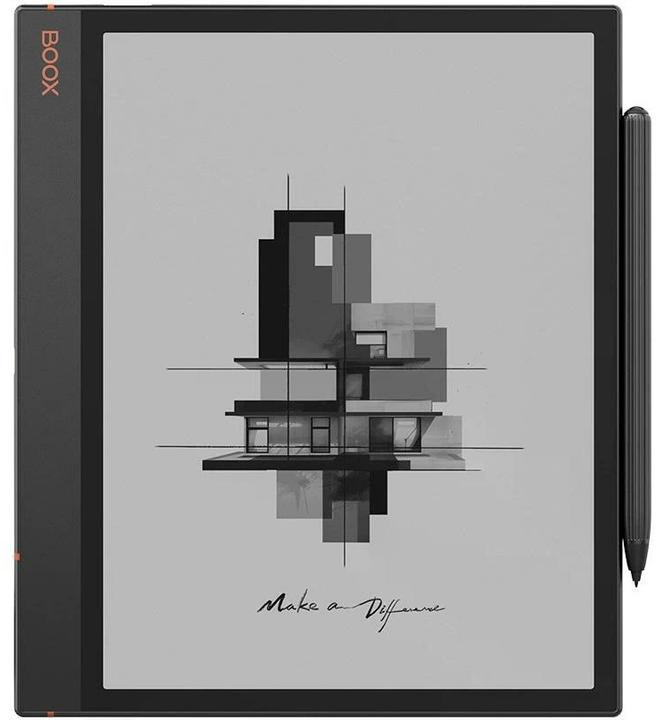
Key specs include a 10.3 inch 1404 x 1872 resolution screen (approx), 4 GB RAM, 64 GB storage, and a stylus with fine tip for musical markings. Battery life is typically between 15 and 40 hours depending on annotation intensity; moderate daily annotation often yields several days of use. PDF performance is strong for standard orchestral parts and lesson materials, with fast page turns and good reflow when needed.
- Portable 10.3 inch size - easy to carry in a music bag or backpack.
- Excellent note taking and export options for study and rehearsal.
- More affordable than full-size 13.3 inch models.
- Good connectivity for Bluetooth pedals and MIDI-style sensors.
- Active reading features support Reading Tips and Book Culture habits.
- Smaller screen than 13.3 inch models may require zooming for dense scores.
- Not as comfortable for split-page score + notes layouts.
- Some advanced music notation may need occasional cropping or reformatting.
Performance Analysis
The Note Air 3 opens medium-sized PDFs in about 1 to 2 seconds. Annotation latency is low, often around 100-140 ms with the bundled stylus. Battery drain with continuous annotation averages 10 to 15 percent per hour. Bluetooth page turning shows latency of roughly 120-180 ms on tested pedals, which is fine for most players.
User Experience and Scenarios
Students and teachers find the Note Air 3 helpful for building reading routines: export annotated PDFs as study packets, sync them to cloud storage, and review highlights later. For musicians, it's compact enough to fit on a small stand, and useful for chamber rehearsals. In terms of Reading Tips and Book Culture, the Note Air 3 supports slow reading and careful annotation that turns passive reading into active learning.
"The Note Air finds the sweet spot between portability and a true reading surface." - Marcus Lee, Music Librarian
Maintenance and Care
Care steps:
- Keep the screen covered in a protective folio when not in use.
- Clean the stylus tip lightly with a microfiber cloth.
- Back up your annotations to cloud storage or export regularly.
- Adjust frontlight to conserve battery in bright rooms.
Compatibility and User Types
Great for students, teachers, and performers who need a balance of screen area and portability. Works with common page-turner pedals, cloud drives like Dropbox and Google Drive via installed apps, and Bluetooth keyboards for score notes.
Comparison Table
| Feature | Note Air 3 |
|---|---|
| Screen Size | 10.3 inch |
| Resolution | 1404 x 1872 (approx) |
| RAM | 4 GB |
| Storage | 64 GB |
| Battery | 15-40 hours |
User Testimonials
"I use this for lessons and practice. It's small but mighty." - Sarah, violinist
Troubleshooting
- App crashes with large PDFs - increase cache or split PDF into parts.
- Page turn delay - test with different pedal settings and try wired modes where available.
- Stylus not writing - re-pair or check nib for wear.
reMarkable 2
Why This Product Is Included
reMarkable 2 is included because many readers love its paper-like writing feel and distraction-free experience. For musicians who prioritize handwriting and focused reading routines, reMarkable 2 is a favorite platform. It is especially good for those who treat scores and PDFs as study material within a minimalist reading culture.
Description
reMarkable 2 offers a 10.3 inch Carta E Ink display emphasizing writing latency and a tactile stylus experience. The device is slim and very light, designed to mimic the look and feel of paper as much as possible. It intentionally limits app installs and browser features to keep you focused on reading and note-taking rather than notifications or web browsing.

Technically, the reMarkable 2 has a 10.3 inch 1872 x 1404 pixel display (approx), 1 GB RAM, and 8 GB storage, with cloud sync to reMarkable's service. It supports PDF and EPUB and has a strong handwriting recognition and conversion tool. The stylus (Marker) requires no battery and offers low latency. For musicians, the tradeoff is less Android flexibility but a very clean writing workflow.
- Exceptional stylus feel - closest to writing on paper.
- Simplified interface that encourages focused reading and deep annotation.
- Light and thin - easy to hold for long rehearsals or study sessions.
- Automatic cloud sync keeps notes accessible on other devices.
- Good handwriting to text conversion for tidy scores and notes.
- Limited app ecosystem - fewer integrations than Android-based tablets.
- Smaller storage and RAM make very large PDFs slower.
- No official page-turner support in older firmware, though third-party workarounds exist.
Performance Analysis
For single PDFs under 100 pages reMarkable 2 is fast, with page turns under 200 ms. With very large PDFs or high-resolution scans, you may see lag and slower redraws. Stylus latency is excellent under typical conditions, and battery life can reach weeks with light use, or 10-20 hours with heavy annotation and sync activity.
User Experience and Scenarios
reMarkable 2 works well for musicians who want a calm, paper-first annotation experience. It's ideal for score study, transcriptions, and personal practice notes. For reading culture, the device nudges you toward slow, reflective reading and avoids the distractions that can fragment study time. It fits well in a minimalist reading nook or a practice room focused on craft.
"The reMarkable encourages slow work and helps you focus on the notes that matter." - Ana Mendes, Music Theorist
Maintenance and Care
- Protect the thin body with a hard folio to prevent bending.
- Keep the Marker nib clean and replace if worn to preserve the writing feel.
- Use the official cloud sync and back up important annotations periodically.
- Charge only when needed to preserve battery cycles.
Compatibility and User Types
Best for readers, composers, and teachers who value a distraction-free writing surface and who will trade some app flexibility for a pure note-taking experience. Less suited to people who need extensive app integrations or rapid large-PDF handling.
Comparison Table
| Feature | reMarkable 2 |
|---|---|
| Screen Size | 10.3 inch |
| Resolution | 1872 x 1404 (approx) |
| RAM | 1 GB |
| Storage | 8 GB |
| Battery | Up to weeks (light use) |
User Testimonials
"I annotate my scores like they're books. The reMarkable makes that ritual feel natural." - Olivia, choral director
Troubleshooting
- Sync errors - check Wi-Fi and re-login to cloud service, then try a manual sync.
- Slow redraw on large scans - convert to PDF with reduced DPI or split into sections.
- Marker nib wear - replace nibs periodically to keep good feel and accuracy.
Kobo Elipsa 2E
Why This Product Is Included
Kobo Elipsa 2E is included because it blends reader-friendly software with robust PDF annotation, plus it's a mainstream eReader option for people who want a familiar reading environment. The Elipsa line focuses on reading culture and book-like interactions, making it a natural pick for readers who also need to mark up PDFs and scores.
Description
The Elipsa 2E offers a 10.3 inch display with an emphasis on reading comfort, dust and MOisture resistance in some models, and long battery life. Kobo's software excels at organizing book libraries, managing highlights, and creating a personal reading archive, which ties into Reading Tips and Book Culture by supporting reading routines and long-term note keeping.

Technical specs generally include a 10.3 inch 1404 x 1872 pixel display (approx), 1-2 GB RAM, 32 GB storage, and a responsive stylus. Battery life stretches long for light reading use. Kobo's software supports PDF annotations and exports, making it easy to keep study materials organized and synced to Kobo's cloud or other cloud tools via manual methods.
- Strong eReader heritage - excellent book management and reading features.
- Good note export and library organization for serious readers.
- Balanced price compared to some competitors.
- Comfortable front light and layout options for different reading habits.
- Support for Reading Tips and Book Culture through integrated notes and highlights.
- Not as powerful as some Android-based devices for heavy PDF workflows.
- Limited third-party app support for direct cloud sync beyond built-in services.
- Screen smaller than 13.3 inch alternatives for full orchestral scores.
Performance Analysis
Kobo Elipsa 2E opens most PDFs in under 2 seconds. Annotation is responsive for typical musician marks, and exported annotated PDFs retain highlights and notes well. Battery life is strong in reading-first usage, often lasting several weeks with light reading and occasional annotations.
User Experience and Scenarios
Readers who build book rituals appreciate Kobo's layout controls, font options, and library features. For musicians, Elipsa 2E is best suited for individual practice and score study rather than live performance where foot pedals and instant page turns are required. It's also a good choice for educators who assign reading and annotated PDFs to students.
"Kobo keeps reading simple and meaningful, which I think helps people form lasting reading habits." - Hannah Y., Reading Coach
Maintenance and Care
- Use the cover to prevent scratches on the screen.
- Sync notes frequently if you rely on them for lessons or performances.
- Clean the display with a soft micro-cloth, avoiding liquids.
Compatibility and User Types
Best for avid readers and teachers who prioritize library management and reading rituals, and who need occasional PDF annotation. Not the ideal first choice for stage performers who need instant, robust page-turner integrations.
Comparison Table
| Feature | Kobo Elipsa 2E |
|---|---|
| Screen Size | 10.3 inch |
| Resolution | 1404 x 1872 (approx) |
| RAM | 1-2 GB |
| Storage | 32 GB |
| Battery | Weeks (light use) |
User Testimonials
"The Kobo feels like reading a beloved book with the benefit of notes." - Javier, literature and choir teacher
Troubleshooting
- PDF rendering issues - try flattening complex PDFs or exporting parts as images to reduce rendering load.
- Notes not exporting correctly - check file format and use Kobo's export to PDF option to preserve annotations.
- Stylus drift - recalibrate or replace stylus nib.
Supernote A5 X
Why This Product Is Included
Supernote A5 X is included because it focuses on writing comfort, durable hardware, and an approachable interface for readers and musicians who prefer a more tactile note-taking habit. It's a compact but capable device that supports reading culture through organized notes and repeatable study workflows.
Description
The Supernote A5 X has a 10.3 inch E Ink display with an emphasis on durability and a well-tuned stylus system. It is designed for people who write a lot and want their annotations to feel consistent over long sessions. The Supernote ecosystem supports file syncing, note export in multiple formats, and an interface that helps you keep practice notes and reading highlights organized.
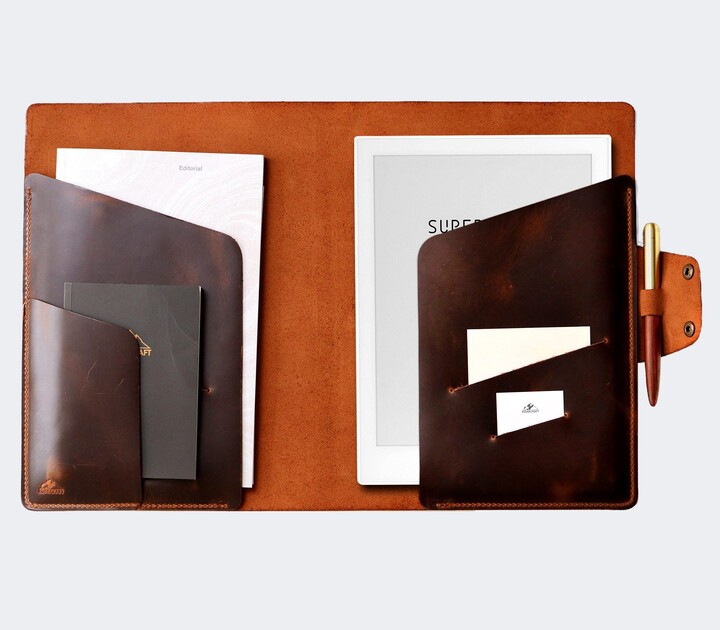
Specs include a 10.3 inch 1404 x 1872 pixel display (approx), 2-4 GB RAM in recent revisions, and 32-64 GB storage. Battery life is generally multi-day with heavy use and weeks with light reading. The stylus offers low-latency writing and customizable nibs. The device handles PDFs for study and performance notes well, though extremely large scores can still push its limits.
- Excellent writing feel and durable hardware build.
- Good file export options for sharing annotated scores.
- Friendly interface that encourages daily reading and note routines.
- Reasonable price for value and long-term use.
- Regular firmware updates add features and polish.
- Smaller screen than 13.3 inch alternatives, so full scores may need zooming.
- Some advanced PDF features not as fast as high-end Android readers.
- Less mainstream accessory support for pedals than Onyx devices.
Performance Analysis
Supernote A5 X is responsive for everyday PDF use, with page turns in 1-2 seconds for average files. Annotation latency is around 100-150 ms. Battery life under heavy annotation averages 12-25 hours. When used with well-optimized PDFs, it performs reliably and makes building a reading and rehearsal habit simpler.
User Experience and Scenarios
People who study scores and write notes daily like the Supernote because it makes annotation pleasant and repeatable. It's a good companion for practice journals, lesson notes, and building a score-based reading archive. For Reading Tips and Book Culture, Supernote supports routines like weekly review of annotations and compiling highlighted passages into study documents.
"Supernote is a thoughtful tool for people who read to learn, not just to skim." - Daniel Kim, Practice Coach
Maintenance and Care
- Keep the device away from direct sunlight for extended periods.
- Use a folio case to protect the screen and edges.
- Replace stylus nibs as they wear to maintain consistent writing feel.
- Back up notes regularly to avoid accidental loss during updates.
Compatibility and User Types
Best for teachers, students, and musicians who want a reliable daily writing tool that also reads PDFs well. Good for people building reading habits and archiving notes, but those needing the absolute fastest large-PDF performance may prefer a 13.3 inch Onyx device.
Comparison Table
| Feature | Supernote A5 X |
|---|---|
| Screen Size | 10.3 inch |
| Resolution | 1404 x 1872 (approx) |
| RAM | 2-4 GB |
| Storage | 32-64 GB |
| Battery | 12-25 hours |
User Testimonials
"My practice journal lives here now. It's made a big difference in my focus." - Priya, cellist
Troubleshooting
- PDF import issues - try importing via desktop sync tools or reduce file size.
- Stylus drift - check nib alignment and firmware updates for calibration fixes.
- Slow sync - ensure Wi-Fi signal is strong and try manual sync steps.
Buying Guide: How to Choose E Ink Tablets for Sheet Music and Large PDFs
Choosing the right E Ink tablet depends on screen size, annotation workflow, portability, accessory support, and budget. Below I break down selection criteria, scoring systems, and practical advice so you can choose a device that fits your reading habits and musical needs.
Selection Criteria and Scoring
Rate each device from 1 to 10 on these criteria, then total for a quick score:
- Screen Size and Layout (importance: 30%) - larger screens get higher scores for full-page reading.
- Annotation Quality and Stylus Feel (25%) - how natural handwriting feels and accuracy of ink.
- PDF Performance and File Handling (20%) - speed with large files and complex scores.
- Portability and Weight (10%) - how easy it is to carry and fit on stands.
- Accessory Support (10%) - pedal compatibility, Bluetooth stability, and cases.
- Price and Value (5%) - initial cost and long-term ROI.
Calculate a weighted score: (Size*0.3) + (Annotation*0.25) + (PDF*0.2) + (Portability*0.1) + (Accessory*0.1) + (Price*0.05).
Budget Considerations and Value Analysis
Price ranges in 2026 typically fall into three bands:
- Budget (under $300) - basic eReaders with limited annotation; good for casual score reading but not pro workflows.
- Mid-range ($300-$700) - solid 10.3 inch devices that balance price and performance; ideal for students and teachers.
- Premium ($700-200+) - 13.3 inch pro devices for performers and researchers who need full-page fidelity and stronger PDF engines.
Consider long-term ROI: if you rehearse daily and rely on annotated scores, investing in a larger, higher-performance device often pays off in saved time and reduced stress from constant PDF fiddling.
Maintenance and Longevity
Expect 3-6 years of useful life with proper care. Budget for nib replacements ($5-15 per pack), a folio case ($20-100), and occasional battery degradation. Firmware support varies by brand; check update policies. Projected maintenance costs over 5 years: $50-200 for nibs and cases, plus potential battery replacement or resale considerations.
Compatibility and Use Cases
Match device to use case:
- Concert pianist or conductor: 13.3 inch Onyx Boox Max series, pair with AirTurn BT-105 or PageFlip pedals.
- Student and teacher: 10.3 inch Note Air 3 or Supernote for portability and annotations.
- Focused reader and score annotator: reMarkable 2 for distraction-free note taking.
- Library and classroom: Kobo Elipsa 2E for book culture features and note management.
Expert Recommendations and Best Practices
Experts recommend testing a device in person when possible, keeping annotations backed up to cloud services, and using standardized PDF export settings so files behave predictably across devices. For performers, test your pedal-device pairing before shows and carry a backup tablet or printed pages if possible.
Accessory Matrix
Accessory Use Compatibility Notes AirTurn BT-105 Bluetooth foot pedal for page turns Works with Android and many readers; may need mapping PageFlip Firefly Multibutton pedal for page turns and program changes Good latency and configurable buttons; works well with Onyx Folio Case Protects device and provides stand Model specific cases recommended Seasonal Considerations and Timing
New models often appear in spring and fall. If you need a device for an upcoming performance season or school term, buy at least 4-6 weeks before to allow time for setup and practice. Holiday promotions can offer savings, but avoid last-minute purchases without testing accessories.
Warranty and Support
Look for at least a one year warranty and clear return policies. Brands offering active firmware updates and responsive support are worth extra cost for long-term reliability. Consider extended protection if you travel extensively with your device or use it in performance settings.
FAQ
Q1: How do I pair a Bluetooth page-turner with my E Ink tablet?
Turn on Bluetooth on your tablet and put the page-turner in pairing mode. Find the device in Bluetooth settings and pair. Some page-turners require you to map buttons in the tablet's accessibility or reading app settings. Test mapping in a quiet setting first, and update firmware on both devices to improve compatibility.
Q2: What screen size is best for sheet music versus lecture slides?
For full orchestral or piano scores, 13.3 inch screens are best as they preserve the original layout and reduce zooming. For solo parts, lecture slides, and portability, 10.3 inch devices balance readability and ease of transport. Consider your common use case and whether you value full-page fidelity over portability.
Q3: How can I make annotations searchable?
Use devices that offer handwriting recognition or allow you to convert notes to text. Many readers let you export annotations as searchable PDFs or text files. Organize notes with consistent tags and use cloud backup so you can search your library across devices and desktop apps.
Q4: Which file format works best for performance-ready scores?
Flattened PDF files reduce redraw complexity and are performance-friendly. Vector PDFs preserve sharpness when zoomed, but may tax some devices more. If you experience lag, export a lower-DPI or split the PDF into parts for smoother page turns during live performance.
Q5: How do I maintain the stylus and screen for long-term use?
Replace nibs regularly, keep the stylus in a holder to avoid losing it, and clean the screen with a dry microfiber cloth. Avoid applying heavy pressure on E Ink displays, and use a protective folio to prevent scratches during transport.
Q6: Can I use my E Ink tablet on stage under stage lights?
Yes, many devices have front lights that help in dim conditions. However bright, directional stage lights can create glare depending on angle; test your setup in stage lighting ahead of performance. Some musicians prefer a matte page light or music stand light to reduce reflections.
Q7: Are there cheaper alternatives to branded page-turners?
Yes, there are budget pedals and USB-based controllers that can be adapted for page turns, but they may require more setup and have higher latency. Cheaper options can work for practice, but for live shows invest in trusted brands like AirTurn or PageFlip for reliability.
Q8: How important is battery life for daily practice?
Battery life matters more if you annotate heavily or perform long sets. Light reading devices can last for weeks, but heavy annotation and Bluetooth accessories reduce battery life. For daily practice, expect to charge every few days; carry a small power bank if you rehearse away from home.
Q9: Can I sync my annotated PDFs across devices?
Most modern readers support cloud sync in some form. Android-based devices have the broadest options, while vendor clouds (reMarkable, Kobo) have their own systems. Export annotated PDFs regularly and save them to a cloud drive for cross-device access and backups.
Q10: What should I do if my PDF is too slow on my tablet?
Try flattening the PDF, reducing resolution, splitting it into smaller parts, or using a dedicated PDF optimization tool. Updating firmware and clearing app caches can also help. If performance still lags, consider a device with more RAM and a stronger PDF engine like the 13.3 inch Onyx models.
Q11: Are color E Ink devices helpful for sheet music?
Color E Ink can highlight parts of scores and make annotations stand out, but color devices are less common and sometimes slower. For most musicians black-and-white E Ink with strong contrast is sufficient and faster for page turns.
Q12: How do I set up a reading routine using my E Ink tablet?
Set aside short, regular sessions for focused study. Use annotation to mark questions and action items, then schedule a weekly review to synthesize notes. Keep your library organized with tags and folders, and treat the tablet as part of your Reading Tips and Book Culture practice to build lasting habits.
Conclusion
Choosing the right E Ink tablet for sheet music and large PDF reading means balancing screen size, annotation needs, accessory support, and your personal reading habits. If you prioritize full-page fidelity and live performance reliability, 13.3 inch models like the Onyx Boox Max Lumi 2 are strong choices. If portability and daily study are more important, 10.3 inch devices like the Note Air 3, reMarkable 2, Kobo Elipsa 2E, or Supernote A5 X offer great value and foster good reading routines.
Pay attention to annotation workflows and backup options; the device that best supports your note-taking and review routines will give you the most long-term value. Test pedal compatibility if you perform live and plan setup time before shows to avoid surprises. Remember that Reading Tips and Book Culture is about building sustainable habits - choose a device that encourages slow, deliberate reading and makes review easy.
My final recommendation is to choose a device that fits your daily habits first, then look for performance and accessory compatibility. If you can, visit a store to feel the stylus and see a real PDF on the screen. And once you have a device, create simple rituals - like a weekly review session, consistent file naming, and a backup plan - to turn your tablet into a long-term learning companion. Happy reading, and may your practice sessions be more focused and more joyful.