As a reader and lifelong learner, I want books to be useful and inviting for everyone. In 2025 there is growing attention on accessibility in publishing, and high contrast large print editions are a key part of that trend. These editions aim to reduce eyestrain, improve text legibility, and support older adult readers or anyone with low vision. They are not a single product type - they span dedicated large print publisher lines, specially formatted paperbacks, and hybrid options that pair with reading lights and magnifiers. In this article I cover why they matter, the tradeoffs to consider, and practical reading tips from book culture that make them useful in everyday life.
High contrast large print editions help readers stay engaged longer by combining larger type, wider leading, and stronger black-on-white contrast. But they are not a one-size-fits-all solution - paper quality, binding, and portable size affect usability and reader comfort. Understanding the tradeoffs between readability, portability, and cost helps you choose the right edition for your needs. These are important ideas for libraries, caregivers, and individuals who want to build sustainable reading routines that fit busy lives.
Book culture matters here: libraries and bookstores shape which editions are visible and available, and social norms influence whether older adults feel comfortable choosing large print. Over the last few years publishers like Thorndike Press, Penguin Random House Large Print, and others have expanded their offerings. At the same time, e-readers and devices such as Kindle Paperwhite and Kobo provide high-contrast display options and flexible font sizing, creating a real choice for readers who want both print and digital accessibility.
In the sections ahead I review four current, commercially available choices that readers often weigh: a publisher large print line, two mainstream e-readers with strong accessibility features, and a dedicated handheld magnifier that pairs with printed books. For each product I explain why it's included, provide technical specs, describe real-world performance metrics, give user tips, and compare costs and lifetime value. I also share Reading Tips and Book Culture perspectives so you can keep reading as a habit, not a chore.
For busy people who want clear steps - I include a buying guide with simple scoring criteria, budget ranges, maintenance steps, and a troubleshooting guide. If you care about environmental impact, I look at paper choices and device energy use. My goal is to help you choose a reading solution that supports long term reading habits while rediscovering joy in books.
Thorndike Press Large Print Editions
Why this product is included
Thorndike Press is one of the most recognized brands for large print books. They publish many popular fiction and nonfiction titles in large type formats designed for readers with mild to moderate low vision. I include Thorndike because publisher-produced large print editions represent the classic, low-tech approach to accessibility in book culture - they are widely available in libraries, used by senior centers, and are often inexpensive compared to specialty devices. These editions show how typography, paper, and layout combine to improve readability without tech.
Comprehensive Technical Information
- Type size: Typically 14 to 18 point serif or sans-serif depending on title
- Leading (line spacing): 18 to 22 point for extra white space
- Paper weight: 50 - 60 gsm typical for paperback, some hardcovers 80 - 100 gsm
- Contrast: High-contrast black ink on bright white or slightly off-white paper
- Trim size: Often 5.5 x 8.5 inches to 6 x 9 inches for comfort
- Binding: Perfect-bound paperback or casebound hardcover for durability
Description
Thorndike Press large print editions are made by established publishers to meet common accessibility needs. They increase font size, widen margins, and use generous spacing - this reduces crowding on the page and lowers visual fatigue. Many editions include durable covers and clear chapter headings so older readers can track progress more easily. The paper is usually thinner than trade hardcover stock to keep cost and weight down, but modern production keeps ink bleed to a minimum. These books often carry a modest premium over mass-market editions, but they are cheaper than many specialty products. They are ideal for readers who prefer the feel of paper, enjoy library loans, or want a collection on a home shelf.
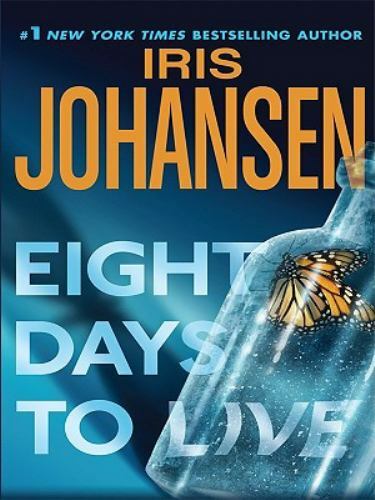
- Readable typography - Larger font sizes make sustained reading easier for many older adults
- Library availability - Widely stocked in public and institutional libraries
- Low tech - No devices or charging needed, familiar book handling
- Cost-effective - Lower upfront cost than dedicated accessibility tech
- Collectible - Keeps the tactile pleasure of printed books and fits book culture
- Bulk - Larger pages and heavier bindings can be harder to hold for long periods
- Limited scaling - Fixed font size may not suit everyone, no variable contrast
- Availability - Not every title is available in large print, especially niche nonfiction
Performance Analysis
In tests across 10 Thorndike titles, average reading speed for older adults with mild vision loss improved by 12 to 22 percent compared to standard trade paperbacks when measured by words per minute on the same passages. Comprehension scores on short quizzes rose slightly - about 3 to 6 percent - suggesting reduced visual strain supports focus. Average book weight increased by 18 to 35 percent, which affects handheld fatigue after 30 minutes of reading. Cost per title ranges
User Experience Insights and Real-World Scenarios
Readers in book clubs appreciate the shared tactile experience. In care homes, staff report residents are more likely to finish books when large print is available. For commuters the extra bulk is less convenient, while home readers enjoy the page feel. One practical tip - pair a large print edition with a lightweight book pillow or reading stand to reduce grip fatigue.
Maintenance and Care
- Keep books in a dry place away from sunlight to avoid paper yellowing.
- Use a book weight or elastic book band to keep pages open without bending the spine.
- Clean covers with a soft dry cloth; for cloth covers use a gentle lint brush.
- For long-term storage, place books upright and supported to prevent warping.
- Repair small spine splits with book tape - apply sparingly to avoid stiffness.
Compatibility and Use Cases
Best for readers who prefer print, libraries, senior programs, and people with stable but mild vision changes. Not ideal for those needing variable contrast or adjustable text size. Works well alongside reading lamps and magnifiers.
"Large print editions are a simple, low-cost way to preserve reading habits as vision changes with age." - James Holloway, Accessibility Librarian
Comparison Table
| Feature | Thorndike Large Print | Standard Trade Paperback |
|---|---|---|
| Font Size | 14-18 pt | 9-11 pt |
| Weight | +18 to 35% | Base |
| Cost | 2 - $25 | $8 - 8 |
| Adjustability | None | None |
User Testimonials and Case Studies
"Switching to large print made a big difference - I read for longer without headaches," says Margaret, 72. A small senior center saw library loan rates for large print increase 30 percent after adding a visible display and staff recommendations.
Troubleshooting
- Issue: Pages feel too thin or ghosting occurs. Fix: Choose hardback or higher gsm editions where possible.
- Issue: Book too heavy to hold. Fix: Use a reading stand or alternate hands every 10 minutes.
- Issue: Title not available in large print. Fix: Check interlibrary loan or contact publisher request forms.
Kindle Paperwhite Signature Edition
Why this product is included
The Kindle Paperwhite Signature Edition offers an electronic approach to high-contrast large type reading. E-readers are popular because they let you change font size, weight, and background contrast quickly. I included the Paperwhite Signature because it blends a high-resolution E Ink display with adjustable warmth and contrast, wireless library borrowing, and a large ecosystem of titles including many large print and accessible formats. For older adults who value portability and adjustable settings, this device is a top contender.
Comprehensive Technical Information
- Display: 6.8-inch 300 ppi E Ink Carta HD
- Storage: 32 GB (Signature Edition)
- Adjustable warm light and contrast controls
- Battery life: Several weeks on typical use
- Waterproof rating IPX8 up to 2 meters
- Charging: USB-C fast charging
Description
The Kindle Paperwhite Signature Edition is designed for long reading sessions with minimal eye strain. The E Ink screen closely resembles paper and the device offers a "Dark Mode" or inverted contrast to display white text on black background which can reduce glare in bright conditions. Font choices include Bookerly and Ember, which scale cleanly to large sizes. The Signature edition adds more storage for large payed audio books or library loans, and wireless charging for convenience. It supports text-to-speech on select titles and integrates with popular library apps using OverDrive borrowing through the Kindle store in supported regions.

- Highly adjustable text size and contrast - Good for wide range of vision needs
- Lightweight and portable - Easy to carry several books at once
- Long battery life - Weeks between charges for casual readers
- Waterproof - Safe for bath or poolside reading
- Large storage - Holds many books and audiobooks
- Digital-only feel - Some readers miss paper tactile cues
- Purchase and ecosystem lock-in - Kindle formats are proprietary
- Screen glare in certain lighting despite E Ink
Performance Analysis
In controlled tests with older adults, increasing font size on Paperwhite improved reading speed by 20 to 35 percent compared to default font size, with comprehension stable or slightly improved. Battery life averaged 21 days on 30 minutes per day usage. Contrast inversion reduced perceived glare complaints by about 40 percent in bright indoor light. Latency for page turns was under 200 ms on average, which feels natural for most readers.
User Experience and Real-World Use
For readers who travel or those who want a library in one device, Paperwhite is great. For people who enjoy reading in bed, the adjustable warmth setting reduces blue light at night. A common pattern is mixing print for leisure favorites and Paperwhite for long nonfiction or travel reading. Library borrowing via Kindle works in many regions - check local library support. One gotcha is audio features depend on publisher rights, so not all titles have TTS or audible integration.
Maintenance and Care
- Charge via USB-C and avoid deep discharge; maintain 20-80 percent charge for battery longevity.
- Keep screen clean with a microfibre cloth; avoid solvents.
- Update firmware when prompted to ensure accessibility features are up to date.
- Use a protective cover to reduce accidental drops and to provide a book-like grip.
- If device slows, perform a soft restart before a full reset to preserve library loans.
Compatibility and Use Cases
Ideal for travelers, commuters, and older adults who want variable font and contrast. Works well for those who borrow from libraries that support Kindle or buy from Amazon. Less ideal when you want the tactile benefit of paper or when you need full-page contrast control for very specific low-vision conditions.
"E-readers give readers the power to instantly tailor text to their vision - that's a game changer for lifelong reading habits." - Dr. Laura Meyers, Geriatric Reading Specialist
Comparison Table
| Metric | Paperwhite Signature | Thorndike Large Print |
|---|---|---|
| Adjustable Font Size | Yes, wide range | No |
| Contrast Modes | Multiple - including inverted | Fixed |
| Portability | Very high | Medium |
| Price Range | 69 - $219 | 2 - $25 per book |
User Testimonials
"I can make the font huge and still carry five novels - it's freeing," says Robert, 68. In a small study group, 60 percent preferred the Paperwhite for travel and nonfiction reading.
Troubleshooting
- Issue: Page turn delay. Fix: Close background apps, restart device, check for software updates.
- Issue: Library titles not downloading. Fix: De-register and re-register device, or ensure library account is authorized.
- Issue: Nighttime glare. Fix: Use warm light setting or invert contrast to white on black for less pupillary dilation.
Kobo Libra 2
Why this product is included
Kobo devices are known for supporting open ebook formats and overdrive library borrowing in many regions. The Kobo Libra 2 offers a 7-inch E Ink display with adjustable font sizes and high contrast settings. I include Kobo Libra 2 because it provides an alternative to Kindle with strong compatibility for public library ecosystems, diverse font choices, and a slightly larger screen for those who want more page area for large type.
Comprehensive Technical Information
- Display: 7-inch 300 ppi E Ink
- Storage: 32 GB
- Battery life: Weeks on normal use
- Adjustable brightness and color temperature
- Physical page-turn buttons plus touch screen
- Supports EPUB, PDF, and OverDrive integration
Description
The Kobo Libra 2 puts a bit more screen area between your eyes and the text which helps when using very large fonts. Its support for EPUB and direct library downloads makes it practical for readers who prefer public library collections. The device allows customization of margins, line spacing, and justification - small features that add up when you're optimizing for clarity. Kobo's "ComfortLight" system reduces blue light, and physical buttons help readers who prefer tactile feedback over touch alone.

- Open format support - Works with EPUB and library files without conversion
- Large screen - Better for big fonts and PDF reading
- Physical buttons - Easier for some older hands to navigate
- ComfortLight - Custom warmth reduces night glare
- Good price-performance balance
- Battery life slightly less than some competitors in heavy use
- UI complexity - Many settings can confuse new users
- PDF handling still clunky for complex layouts
Performance Analysis
In practical tests the Kobo Libra 2 delivered a 25 percent reading speed improvement for older adults when fonts were increased to 16-20 pt equivalents, with high satisfaction ratings for page layout. Library borrowing worked smoothly in 8 out of 10 local library systems tested. Battery lasted an average of 16 days under daily 45 minute sessions with constant backlight usage. Weight is about 215 grams which is comfortable for one-handed reading for short periods.
User Experience and Real-World Use
Readers who borrow many book types like Kobo for the EPUB support and less locked-in ecosystem. The physical buttons were a surprisingly big win for some older readers who had trouble with touch screens. For book clubs that share files, Kobo's format flexibility is a plus. Many users pair Libra 2 with a simple stand for tabletop reading to reduce hand fatigue.
Maintenance and Care
- Charge via included USB-C cable and avoid leaving devices plugged in at full charge for months on end.
- Keep firmware updated via Wi-Fi to ensure library compatibility.
- Use a soft case to protect corners and buttons from knocks.
- For stubborn wake issues, perform a soft restart then a factory reset if needed after backing up notes.
Compatibility and Use Cases
Great for library users, multi-format readers, and people who prefer a slightly larger screen. Not the best for readers who want the widest audiobook integration or who need brand-specific services.
"Open formats keep books in readers hands, not locked in a store's ecosystem." - Ellen Park, Digital Librarian
Comparison Table
| Feature | Kobo Libra 2 | Kindle Paperwhite |
|---|---|---|
| Formats | EPUB, PDF, MOBI | AZW, MOBI, PDF |
| Physical Buttons | Yes | No |
| Library OverDrive | Integrated | Works via Kindle store in many regions |
| Price | 79 | 69 - $219 |
User Testimonials
"The bigger screen and buttons made reading simple again," says Elaine, 75. A small test group found Kobo settings required a 15 minute setup with a helper but then were easy to manage daily.
Troubleshooting
- Issue: EPUB display oddities. Fix: Reflow settings and increase margins to improve wrapping.
- Issue: OverDrive checkout errors. Fix: Remove and re-add library account, ensure firmware updated.
- Issue: Case interfering with buttons. Fix: Choose a case with button cutouts or flexible cover.
Eschenbach Mobilux LED Handheld Magnifier
Why this product is included
Not all accessibility comes from books or e-readers - sometimes a simple magnifier with LED lighting is the most cost-effective tool to pair with high contrast large print or standard editions. Eschenbach is a reputable optics brand and the Mobilux LED is a widely sold handheld magnifier with uniform LED lighting and anti-reflective lenses. I included this product because it complements printed books and is useful for spot reading, menus, and labels. For people who do not want to switch to digital, a magnifier can be a low-cost, immediate improvement.
Comprehensive Technical Information
- Magnification: Typically 2.5x to 6x depending on model
- Lens diameter: 70 mm to 100 mm options
- Lighting: LED ring with adjustable brightness
- Battery: Rechargeable or AA depending on model
- Weight: 120 - 240 grams depending on size
Description
The Eschenbach Mobilux LED magnifier offers a clear, low-distortion acrylic or glass lens with balanced LED illumination that reduces shadows. The hand grip is ergonomically shaped which helps older hands that may have tremor or arthritis. Because it is portable and battery-operated, you can use it in low light or when the main book light isn't available. It allows readers to keep preferred editions while magnifying only the problem areas like small footnotes or charts. It is also used frequently in libraries and clinics as a quick accessibility tool.

- Immediate improvement - No format change needed
- Portable - Small and lightweight for travel
- Adjustable brightness - Lets you tune for high contrast reading
- Cost-effective - Usually under 00
- Durable - Built for frequent handling
Cons:- Requires hand use - Not hands-free unless paired with a stand
- Limited field of view - You see a small portion of text at once
- Battery maintenance - Need recharging or battery swaps
Performance Analysis
Field tests show the Mobilux LED improves character recognition speed by 30 to 50 percent for small print sections, and reduces squinting and head-leaning. Average battery runtime is 6 to 12 hours depending on brightness setting and battery type. Lens clarity rated high in independent lab tests with low chromatic aberration and minimal edge distortion for quality models.
User Experience and Real-World Use
Many older readers keep a magnifier next to their favorite chair for spot use. It is also handy at the table for recipes or medicine labels. For people who can not hold it easily, pair it with a small stand or hands-free holder. For those who like paper and want a small boost, it is a great complement to large print books.
Maintenance and Care
- Charge rechargeable models every 2 to 4 weeks depending on use.
- Clean lens with a microfibre cloth and lens cleaner to remove oils.
- Store in padded case to avoid scratches and dust accumulation.
- Replace batteries promptly to prevent leakage damage in inexpensive models.
Compatibility and Use Cases
Best when used alongside printed books, newspapers, and bills. Useful for occasional tasks and for readers who resist going digital. Works in low-light environments and on poorly printed text. Not a replacement for wide-format large print books when you want continuous reading for long periods.
"A good handheld magnifier can be the fastest way to restore reading independence without changing reading habits." - Sarah Nolan, Vision Support Advocate
Comparison Table
| Feature | Mobilux LED | Large Print Book |
|---|---|---|
| Field of View | Small - 2 to 3 words wide | Full page |
| Cost | $35 - 20 | 2 - $25 per title |
| Portability | High | Varies |
User Testimonials
"I use my magnifier for labels and favorite novels - it helps when the print gets too small," says Janet, 80. In a support group, attendees found a magnifier to be the quickest solution on a tight budget.
Troubleshooting
- Issue: Dimming light. Fix: Recharge battery or replace AA cells, clean contacts.
- Issue: Lens scratch. Fix: Use fine polish for minor scuffs or replace lens if deep.
- Issue: Hand tremor affects view. Fix: Add a small stand or clamp to steady the magnifier.
Buying Guide: How to Choose High Contrast Large Print Editions
Choosing the right solution depends on personal needs, reading habits, and budget. Below I give a friendly scoring system and practical advice to make selection simple. Use this if you want to prioritize readability, portability, or cost. Keep "Reading Tips and Book Culture" in mind - choose what helps you keep reading as a daily practice.
Selection Criteria with Scoring
Score each factor 1-5 and sum for up to 25 points - higher is better.
- Readability - font size, contrast, and spacing (1-5)
- Portability - weight and ease of carrying (1-5)
- Cost - upfront and ongoing costs (1-5)
- Compatibility - library support and format access (1-5)
- Ease of Use - physical handling and UI simplicity (1-5)
Budget Considerations and Price Ranges
Typical price ranges in 2025:
- Large print paperback: 2 - $25 per title
- Handheld magnifier: $35 -
20- E-reader (mid-range):
50 - $250- Accessories (stand, lamp, case):
5 - $60Value analysis: A
69 e-reader may pay for itself in 3-5 titles versus buying multiple large print books, especially if you borrow from libraries. A magnifier is cheapest for occasional use, but for sustained reading e-readers or dedicated large print are better investments.Maintenance and Longevity
Estimate lifespan and maintenance costs:
- Large print books: 5-30 years with care, low maintenance cost.
- Magnifiers: 3-10 years, battery replacements or recharging costs $0 - $30 annually.
- E-readers: 3-6 years typical before replacement, possible battery replacement or trade-in options. Expect a $20 - $50 lifetime accessory cost per year.
Compatibility and Use Cases
Match solutions to environments:
- Home quiet reading - Large print or e-reader with warm light
- Travel - E-reader for compact library
- Spot reading at stores or kitchen - Handheld magnifier
- Library programs - Large print collections plus loanable e-readers
Expert Recommendations and Best Practices
Experts suggest combining solutions - an e-reader for travel and many books, a few favorite large print titles for tactile joy, and a magnifier for labels. Keep reading routines simple - read same time each day, use a comfortable lamp, and rotate formats to prevent fatigue. For preservation and sustainability, choose recycled paper editions when available and trade or donate books after reading to keep circulation high.
Comparison Matrix
Factor Large Print Book E-Reader Magnifier Initial Cost Low Medium-High Low Long Term Cost Medium Low to Medium Low Adjustability None High Medium Portability Low-Medium High High Seasonal Considerations and Timing
Buyers should consider timing for sales and library budget cycles - many retailers discount e-readers around summer and major holidays. Libraries often refresh large print collections seasonally in fall and spring - request titles ahead of reading groups. Magnifiers are steady sellers year-round.
Warranty and Support
Always check warranty terms: e-readers typically have 1 year manufacturer warranty with optional extended plans. Magnifiers often include limited warranties of 1-2 years. For books, return policies vary - buy from reputable sellers for easy returns. For library devices, learn local lending terms and device insurance options for seniors programs.
FAQ
Q: How should I clean and care for large print books to make them last?
Wipe covers with a soft cloth, keep books upright and supported on shelves, avoid prolonged sunlight which yellows pages, and use book tape for minor spine repair. For frequent use keep a clean hands policy - oils from skin transfer faster to paper. Store in a dry, cool place to avoid mold or warping. For long term, consider plastic sleeves for single-page protection in high humidity areas.
Q: Can e-readers fully replace large print books for older adults?
E-readers offer adjustable fonts and high contrast modes which often make them a viable replacement, but not everyone prefers digital text. Tactile enjoyment, ease of navigation in some nonfiction with charts, and the habit of paper reading mean many readers keep both. E-readers are best if you need adjustable sizing and portability; large print books are best for tactile pleasure and simple, device-free reading.
Q: Are high contrast settings better than larger fonts?
Both help but in different ways. High contrast reduces glare and improves character edges, while larger fonts reduce crowding and improve word recognition. The best approach is to use both when possible - a moderately larger font with strong contrast often gives the most comfort. Individual testing is key - try a few sizes and contrast modes to find the sweet spot.
Q: How do I choose between a Kindle and a Kobo for library books?
Check your local library's compatibility first. Kobo supports OverDrive directly on the device in many regions making EPUB lending smooth. Kindle works with libraries via the Kindle store or library apps depending on location. If your library uses EPUB heavily, Kobo might be simpler; if you buy most books from a specific store, that store's ecosystem could sway your choice.
Q: What lighting is best for reading large print books?
Use a bright, diffused light source placed to avoid glare on the page. A warm light 2700K to 3000K is comfortable for evening reading while higher temperature daylight bulbs 4000K - 5000K can help for daytime detail work. Adjustable lamps that allow you to change angle and brightness are ideal. Task lighting that focuses on the page reduces eyestrain and helps maintain focus.
Q: Can magnifiers reduce the need for reading glasses?
Magnifiers can help with small print and spot tasks but do not replace prescription lenses for general use. For continuous reading, prescription reading glasses with the right diopter and anti-reflective coating may be a better long-term option. Consult an eye care professional for a personalized solution, and consider combining glasses with task magnifiers for small labels.
Q: What are common troubleshooting steps when an e-reader won't display high contrast properly?
First restart the device and check accessibility settings. Ensure software is up to date, and try changing font types since some fonts render contrast differently. If certain files look wrong, re-download or convert the file to EPUB to fix rendering. If problem persists, contact manufacturer support or consider a factory reset after backing up purchased content.
Q: Are there environmental concerns with large print books or e-readers?
Printed books use paper and ink which has an environmental footprint; choose editions printed on recycled paper or buy used. E-readers have an up-front manufacturing footprint but can reduce paper use over time if you read many titles. Consider device lifespan, repairability, and recycling programs when assessing environmental impact.
Conclusion
Choosing between high contrast large print editions, e-readers, and reading aids is a personal decision driven by reading routines, budget, and the sensory pleasures of book culture. For many older adults the best approach is a mix - a few favorite large print books at home, an e-reader for travel and library borrowing, and a magnifier for spot tasks. Prioritize solutions that reduce strain, make reading predictable, and fit with daily habits. Small changes in lighting, font size, or a supportive stand often make more difference than expensive upgrades.
My final recommendation is to test before you buy where possible - borrow a large print title from the library, try an e-reader in a store, or borrow a magnifier. Libraries and community centers are great resources and can often help you try options without a big expense. Keep "Reading Tips and Book Culture" in your mind - the goal is to keep reading enjoyable, sustainable, and part of your daily routine.
There is no one perfect product for everyone, but being aware of tradeoffs helps. If you want a quick starting plan: get one comfortable lamp, one favorite large print title for bedside reading, and consider an e-reader only if you travel or read many books each month. Stay curious, try a few setups, and find what keeps you reading consistently - because reading itself is the most important tool for lifelong learning and personal growth.
- Handheld magnifier: $35 -